
Gameflip incorporates identity verification for several critical reasons, aimed at ensuring a secure and compliant marketplace for all users:
Why is Identity Verification Required?
- Regulatory Compliance: We must comply with Know Your Customer (KYC) regulations, anti-money laundering (AML) laws, and the US and EU sanctions screening rules.
- Payment Protection: Verifying your identity confirms account ownership and protects your payment methods against unauthorized transactions.
- Faster Processing: Completing verification speeds up order processing by reducing the likelihood of payment reviews and security holds.
We only collect the information necessary to keep marketplace transactions safe and efficient. For more information, please refer to our Privacy Policy.
Note on Security
We take your privacy seriously. All data you submit is encrypted and securely stored. Identity documents must be uploaded through the Gameflip app or website—we do not accept emailed documents for security reasons.
Benefits of Verifying Your Identity
- Fewer payment reviews and higher transaction limits once your identity and payment sources are verified.
- You’ll earn the ID Verified badge, boosting your credibility with buyers or sellers.
- To start, go to Menu → Wallet → Verify in your account.
When Uploading Your Photo ID
- Make sure your ID is valid and hasn’t expired.
- No modifications, hole punches, or damage.
- Upload photos of both sides clearly, with all corners visible.
- The address on the ID should match the billing address added to your Gameflip account.
- Use state/country-issued IDs (e.g., driver’s license, national ID).
- If your country is Russia, Ukraine, or Belarus, an internal passport may be allowed.
When Taking a Selfie with Your ID
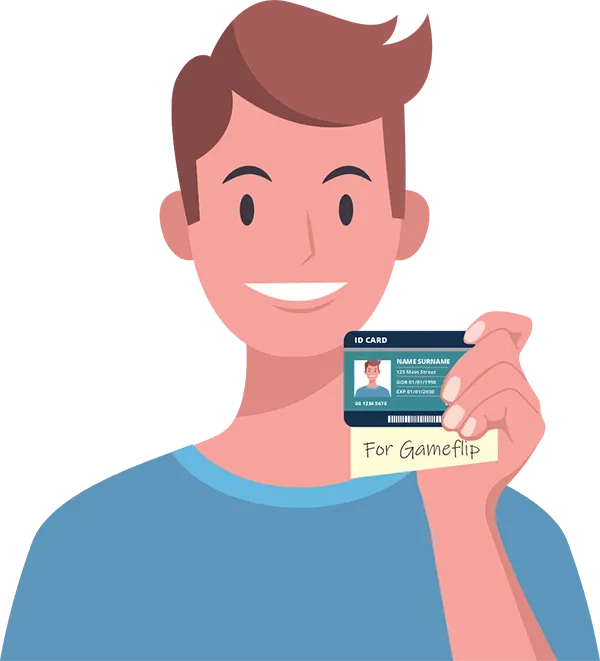
- Hold your ID and a piece of paper with “for Gameflip [today’s date]” handwritten on it.
- Frame from shoulders to top of head, without covering your face.
- Use front lighting, neutral background.
- No hats, sunglasses, or face coverings.
- Your face and ID must be fully visible.
Credit/Debit Card Verification
To verify a new credit or debit card, you must submit three photos:
- A selfie holding the card (showing your name + only the last 4 digits).
- A close-up photo of the front of the card (showing your name + only the last 4 digits).
- A close-up photo of the back of the card (showing your name + only the last 4 digits).

The document verification process usually does not take long. In rare cases, it might take up to 2 business days to complete.
How ID Verification Works for Minors
ID verification requires a full government-issued photo ID from an adult (18+) who agrees to take legal responsibility for the Gameflip account. Users under 18 must submit photos of a parent or legal guardian when going through ID or credit/debit card verification. For more information, please read our FAQ article: How to Buy and Sell on Gameflip Under 18 (Parental Consent).
Comments
0 comments
Article is closed for comments.